Cover page of a style guide with the title 'Eaves', a mountain and house icon, and the subtitle 'warmer searches, warmer welcomes', by Scott Isenbarger, 2026.
Page titled 'Introduction' with text about Eaves, a real estate platform. There is a color palette in the top right corner and a smaller version of the palette in the bottom left corner.
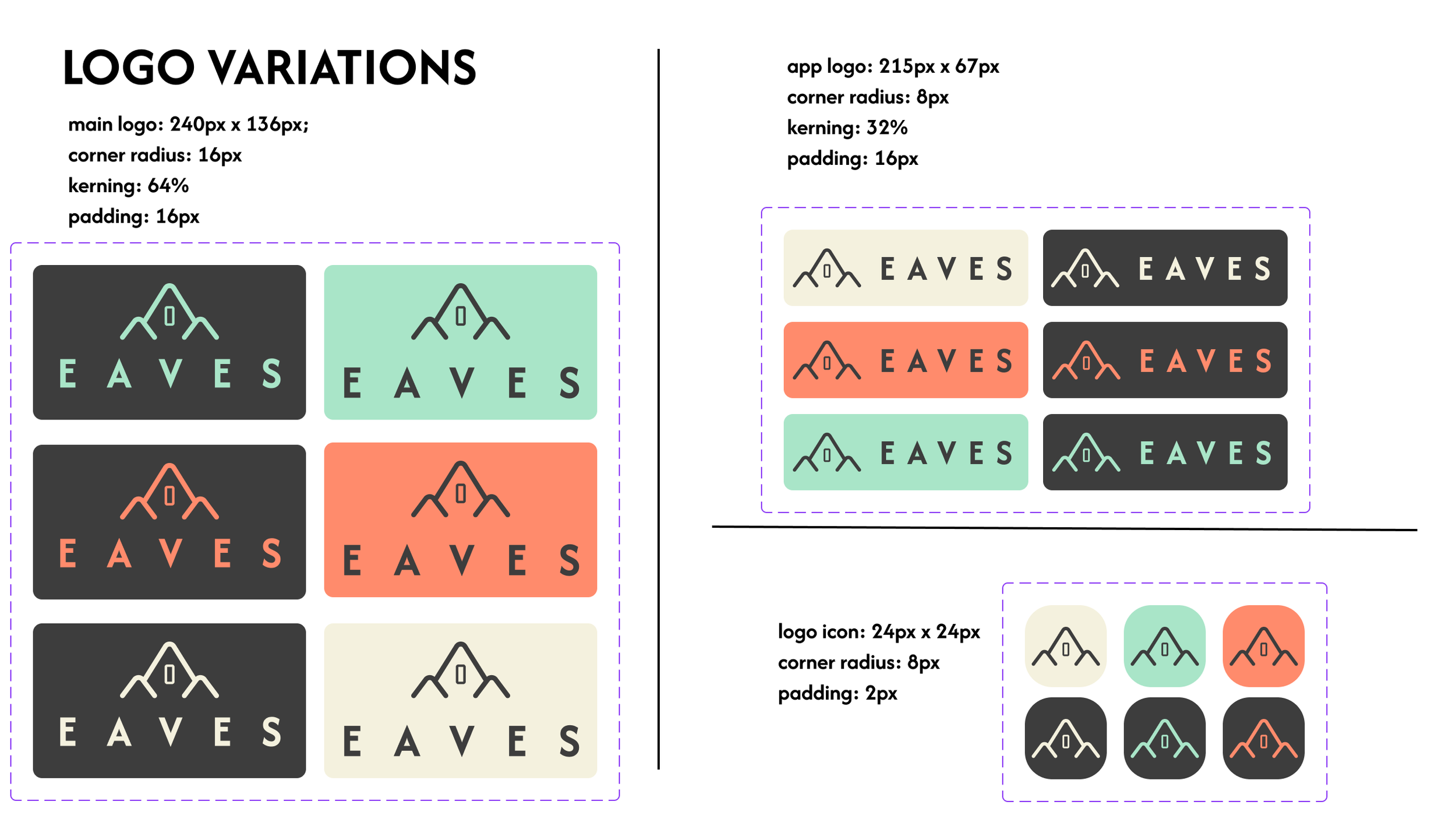
Guide showcasing variations of a logo titled "LOGO VARIATIONS" with design specifications including size, corner radius, kerning, and padding. Different logo styles have icons with an mountain and house shape, accompanied by the word "EAVES" in various color schemes, including black, mint green, coral, and beige backgrounds. Smaller icons display simplified logo versions with specific dimensions and padding.
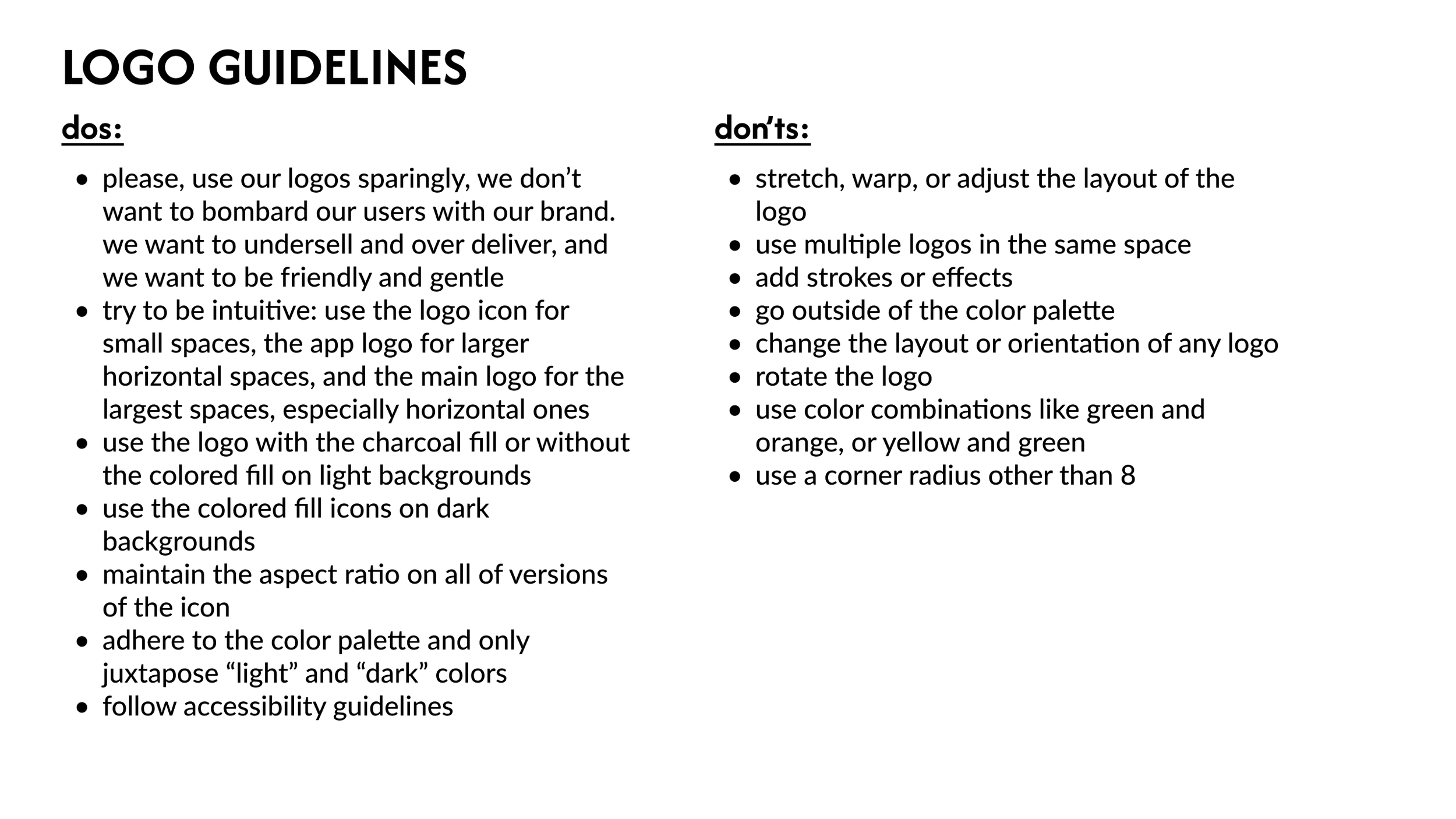
A set of logo guidelines titled 'LOGO GUIDELINES' divided into two sections: 'dos' and 'don'ts'. The 'dos' section includes instructions on using logos sparingly, being intuitive with logo placement, using charcoal fill or no fill for light backgrounds, using colored fill icons on dark backgrounds, maintaining aspect ratio, adhering to color palette, and following accessibility guidelines. The 'don'ts' section includes not stretching or warping the logo, not using multiple logos, not adding effects, not going outside the color palette, not changing layout or rotating the logo, not using disallowed color combinations, and not using corner radius other than 8.
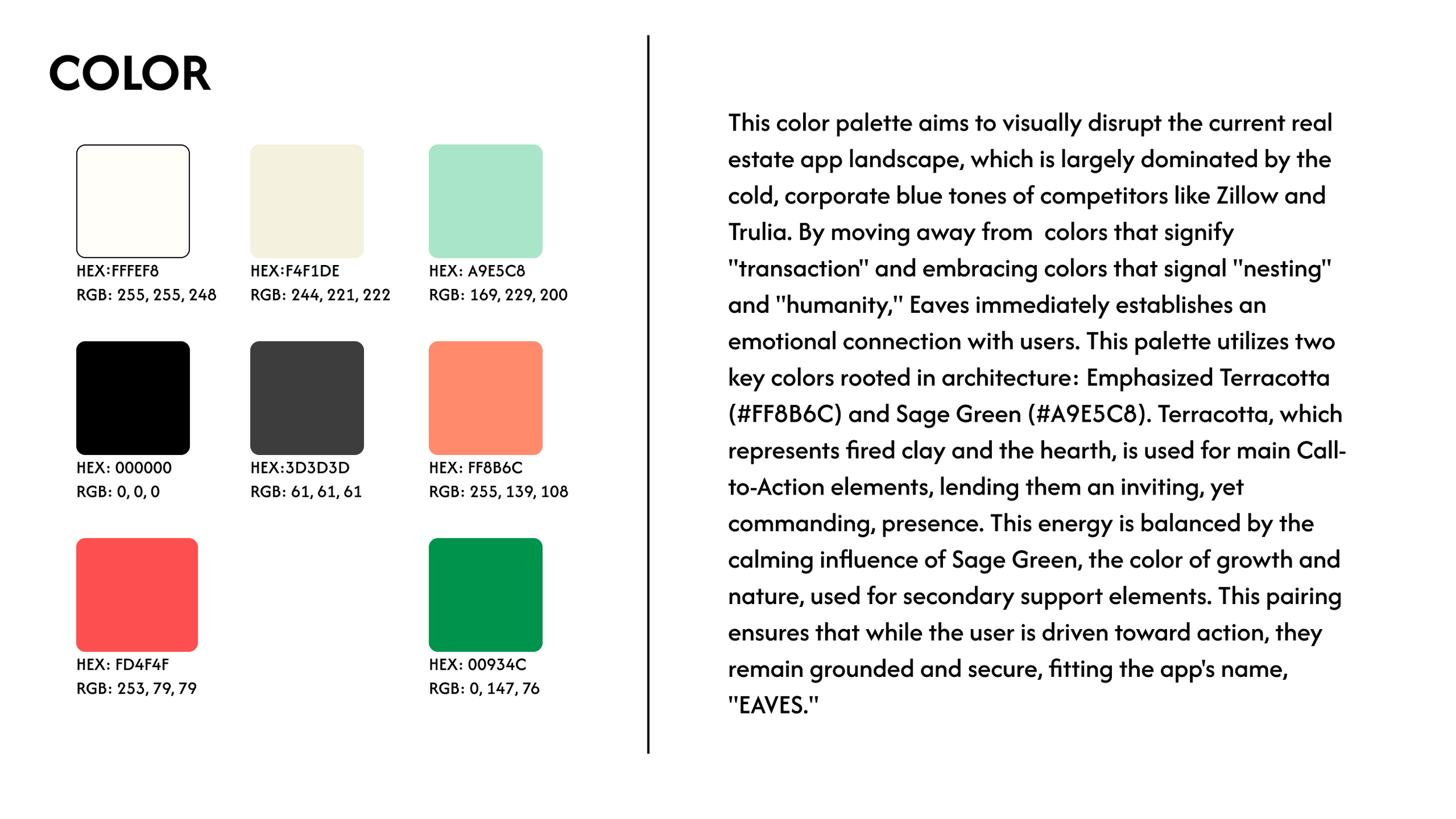
Color palette with seven colors and their hex and RGB codes, alongside a description of the color scheme and its design philosophy.
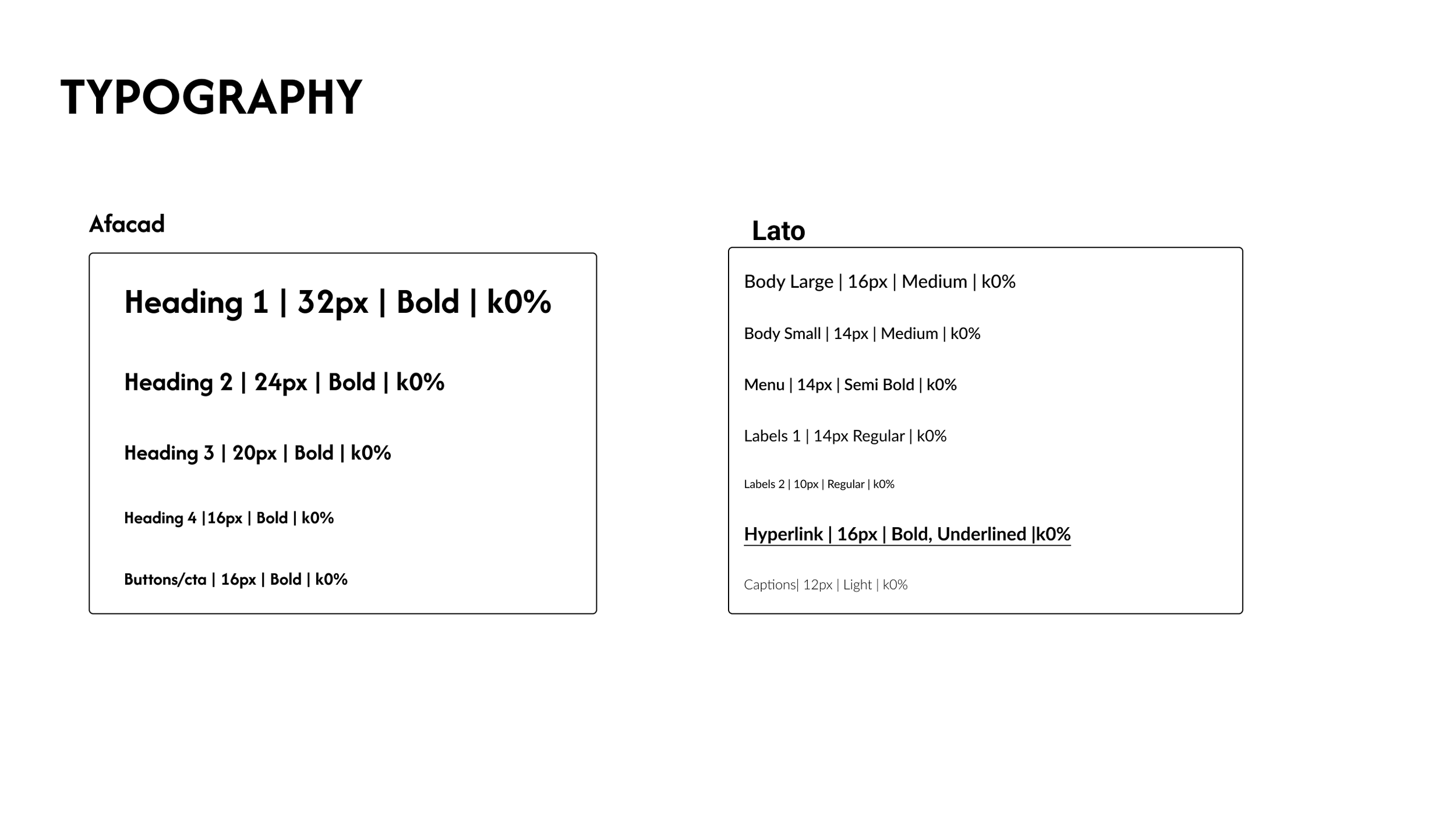
Comparison of typography styles for two fonts, Afacad and Lato, showing various headings, paragraph styles, and text formatting options.
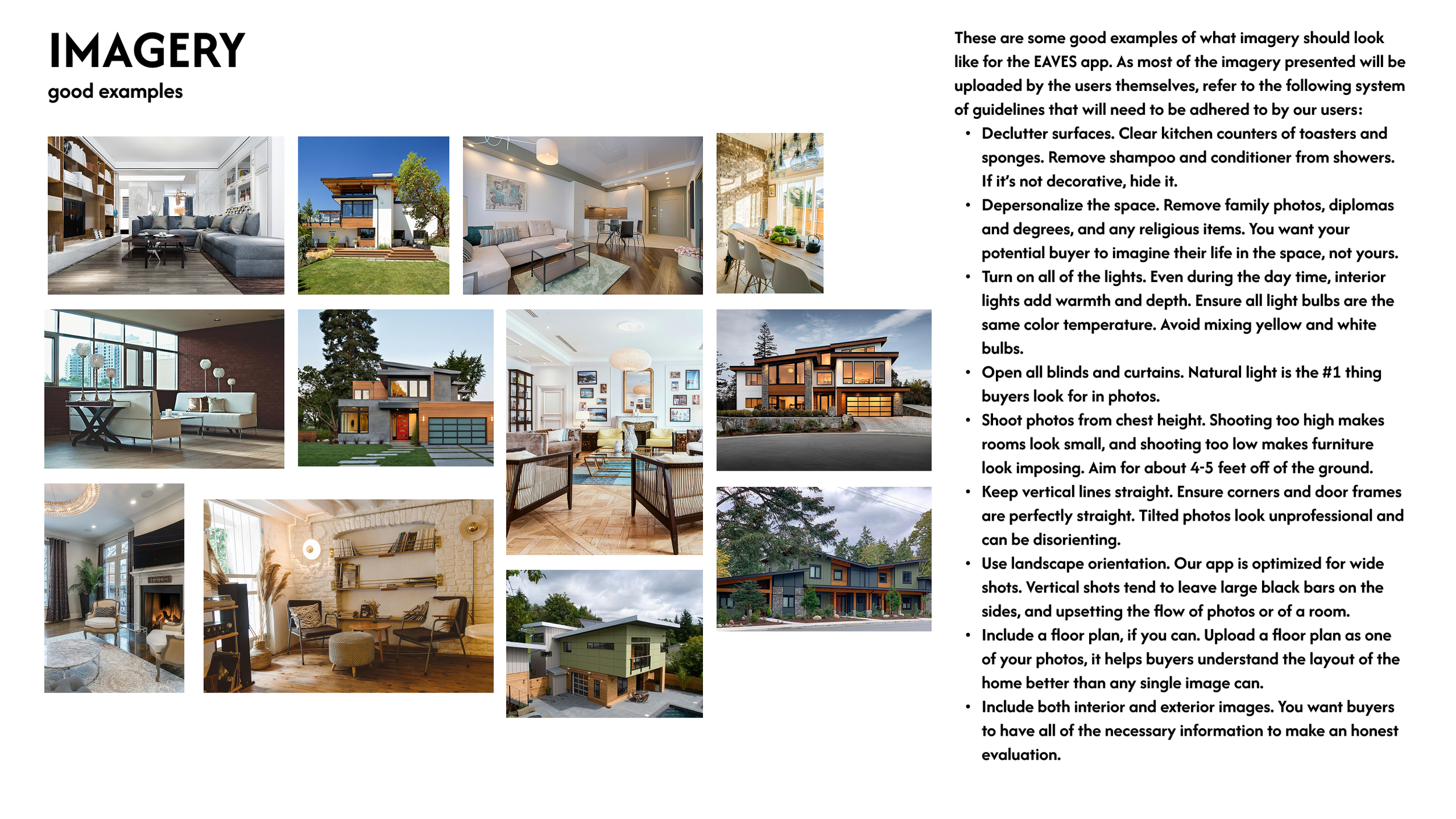
A grid of twelve interior and exterior home photos on the left, and on the right, a list of guidelines for real estate imagery quality.
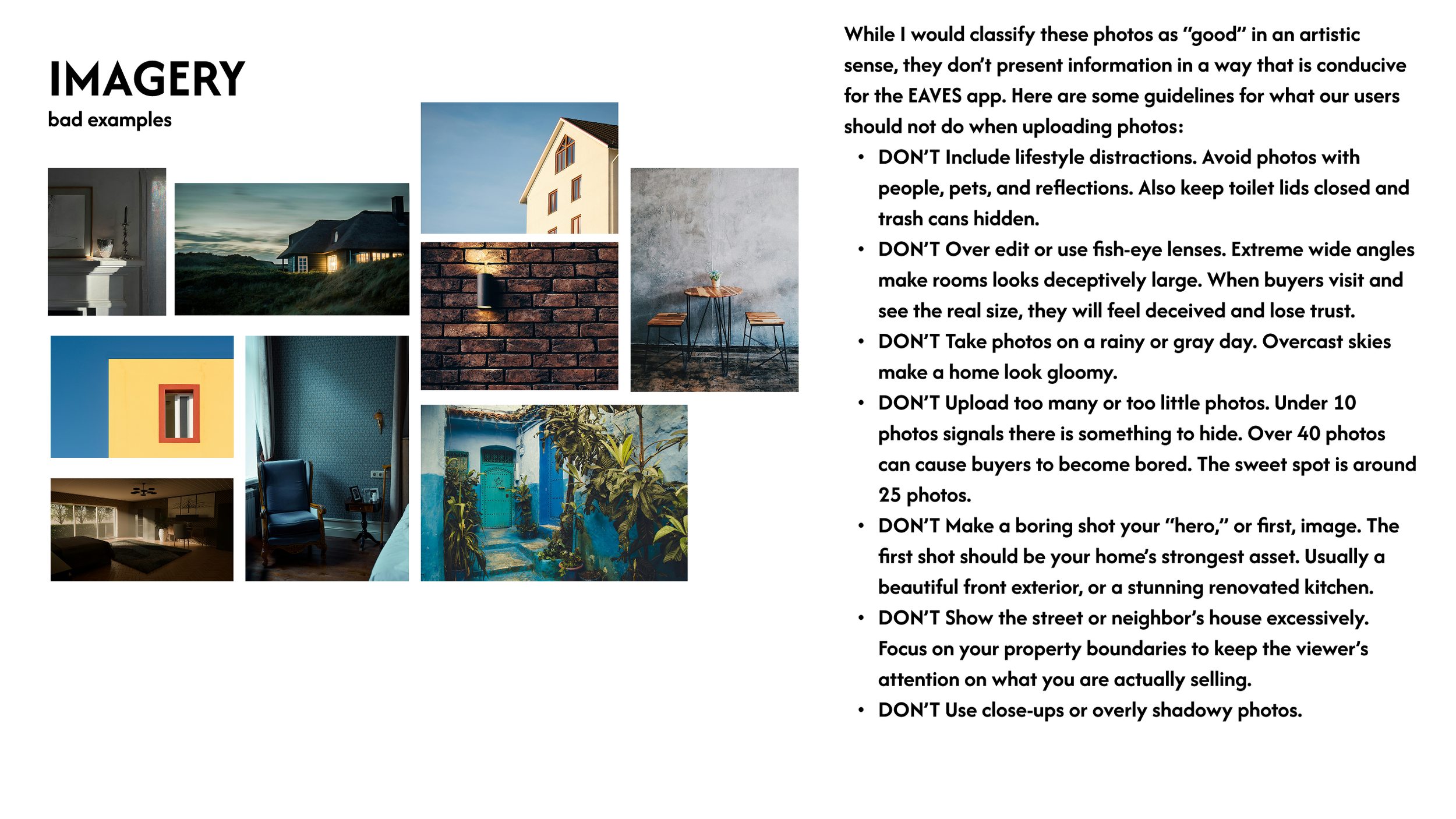
Collection of interior and exterior home photos with guidelines for uploading property photos, including avoiding distractions, over editing, and poor weather conditions.
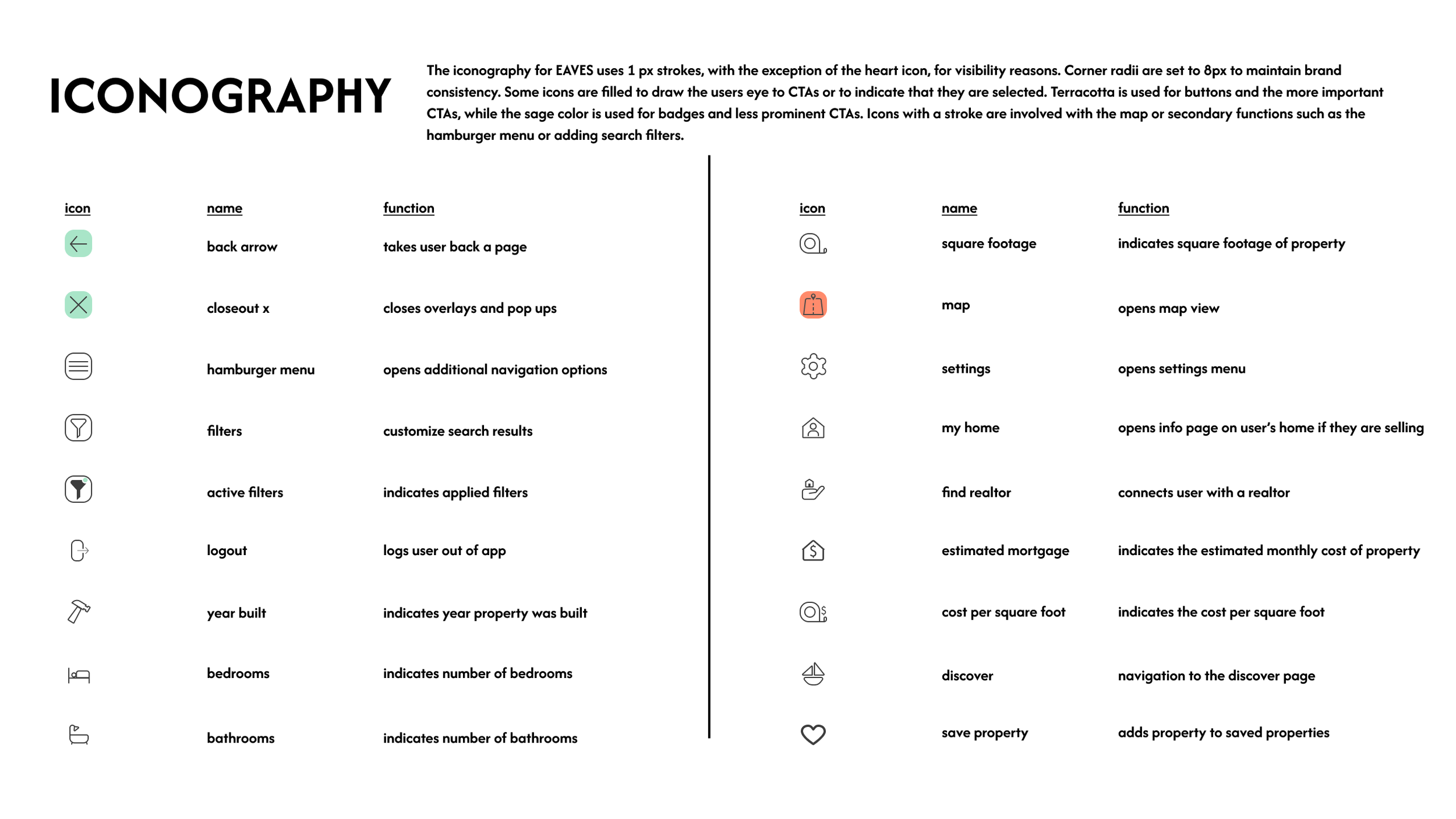
A chart explaining iconography used in EAVES app, with icons, their names, and functions, divided into two sections. The first section includes icons for back arrow, closeout, hamburger menu, filters, active filters, logout, year built, bedrooms, and bathrooms. The second section features icons for square footage, map, settings, my home, find realtor, estimated mortgage, cost per square foot, discover, and save property.
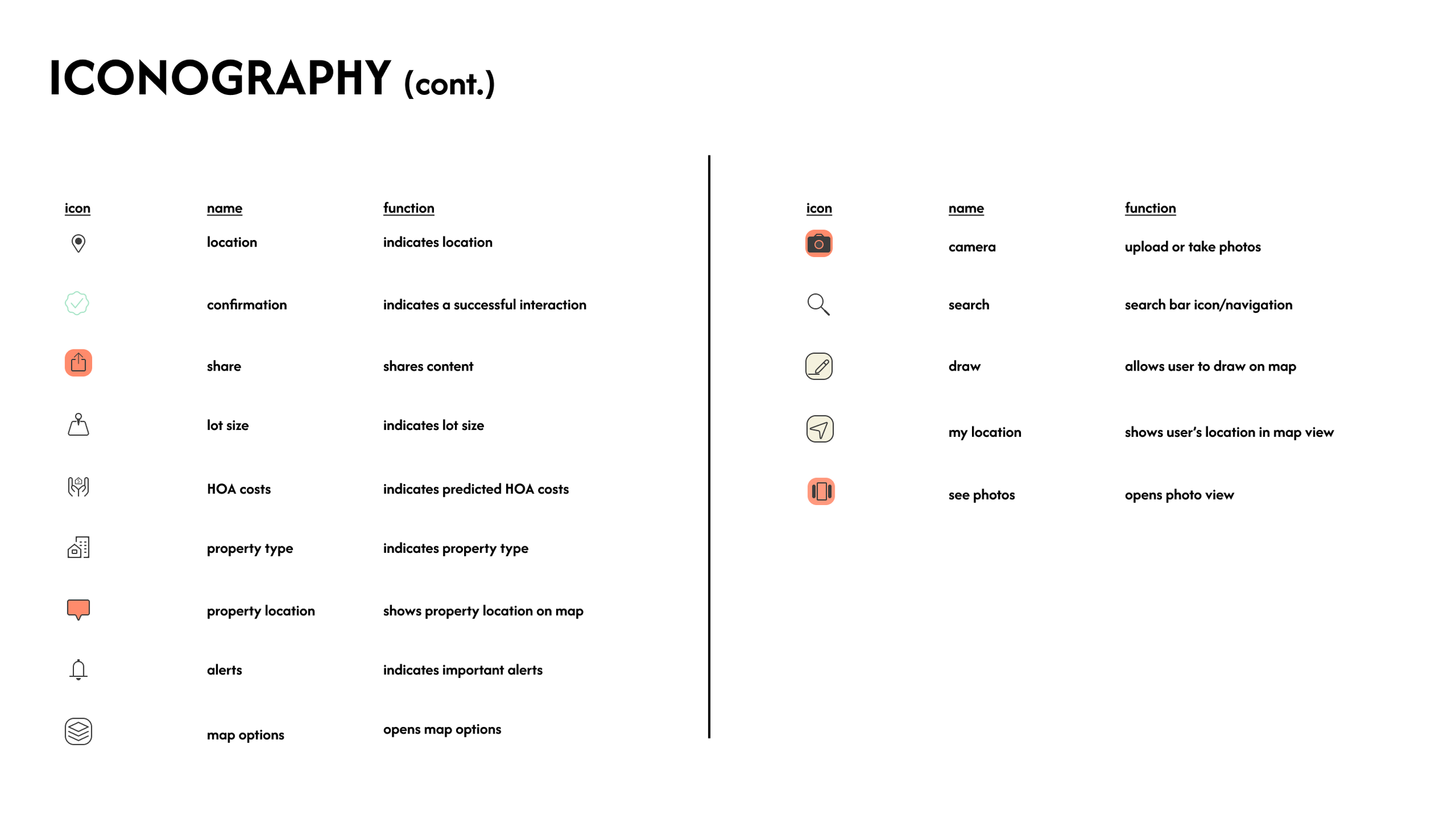
A chart listing icons related to mapping and property features, with their names and functions, divided into two columns. The left column includes icons for location, confirmation, share, lot size, HOA costs, property type, property location, alerts, and map options. The right column includes icons for camera, search, draw, my location, and see photos.
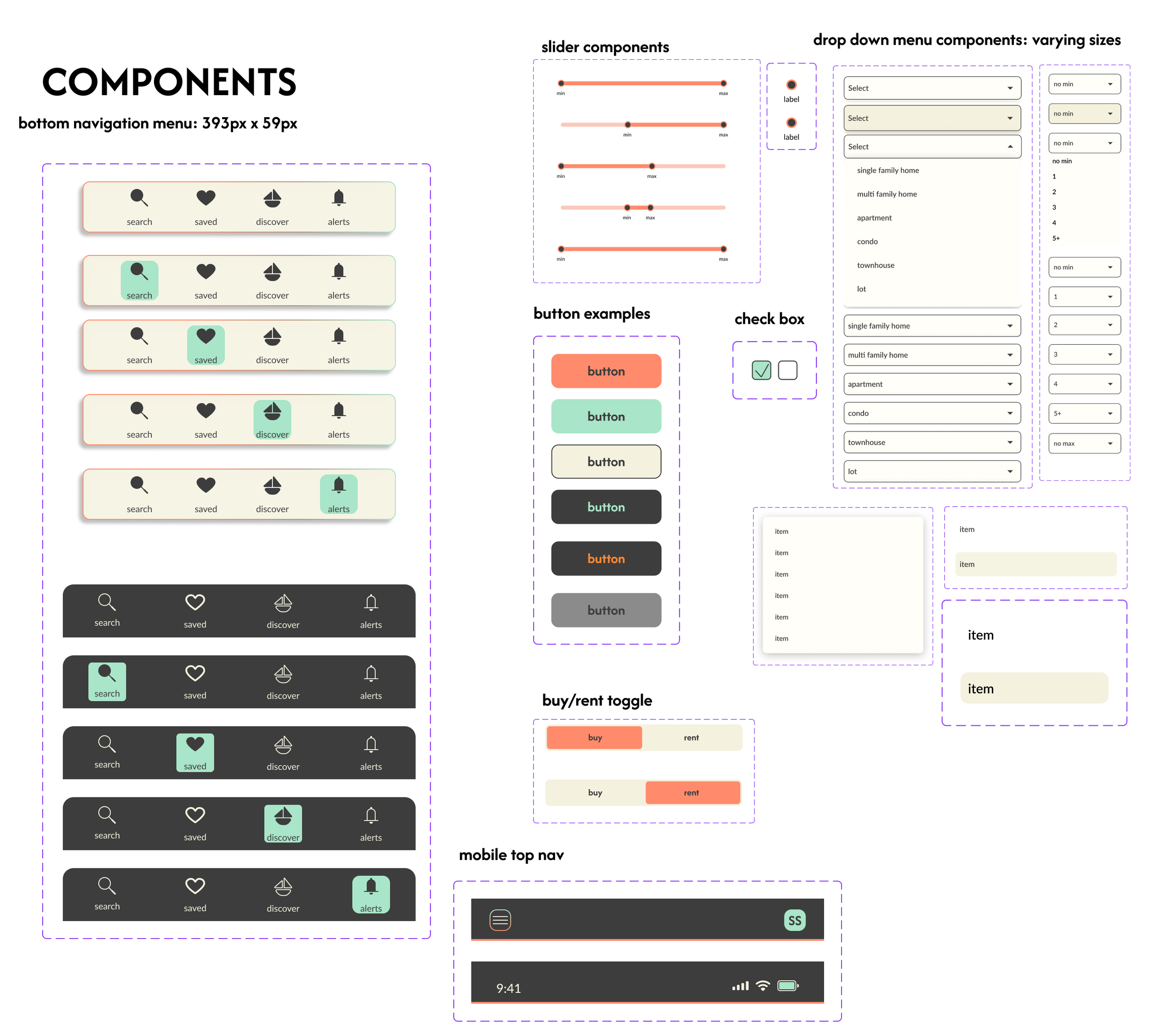
An infographic with various user interface component examples, including sliders, buttons, checkboxes, dropdown menus with size options, toggle switches for buy/rent, mobile navigation bar, and different button styles, all labeled with descriptions.
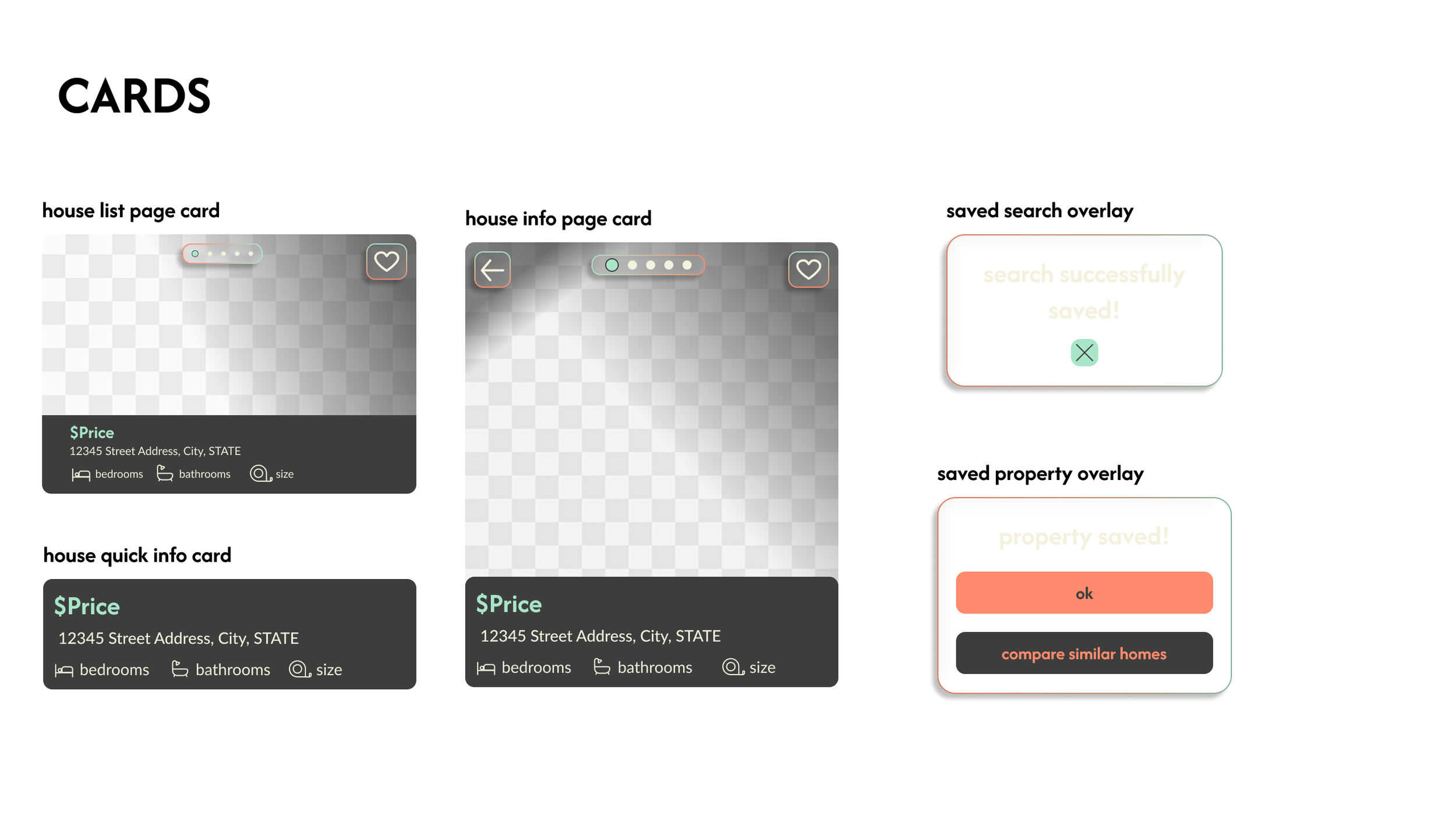
A digital interface displaying different types of real estate cards, including house list, info, and quick info, with search overlays and property saved confirmation messages.
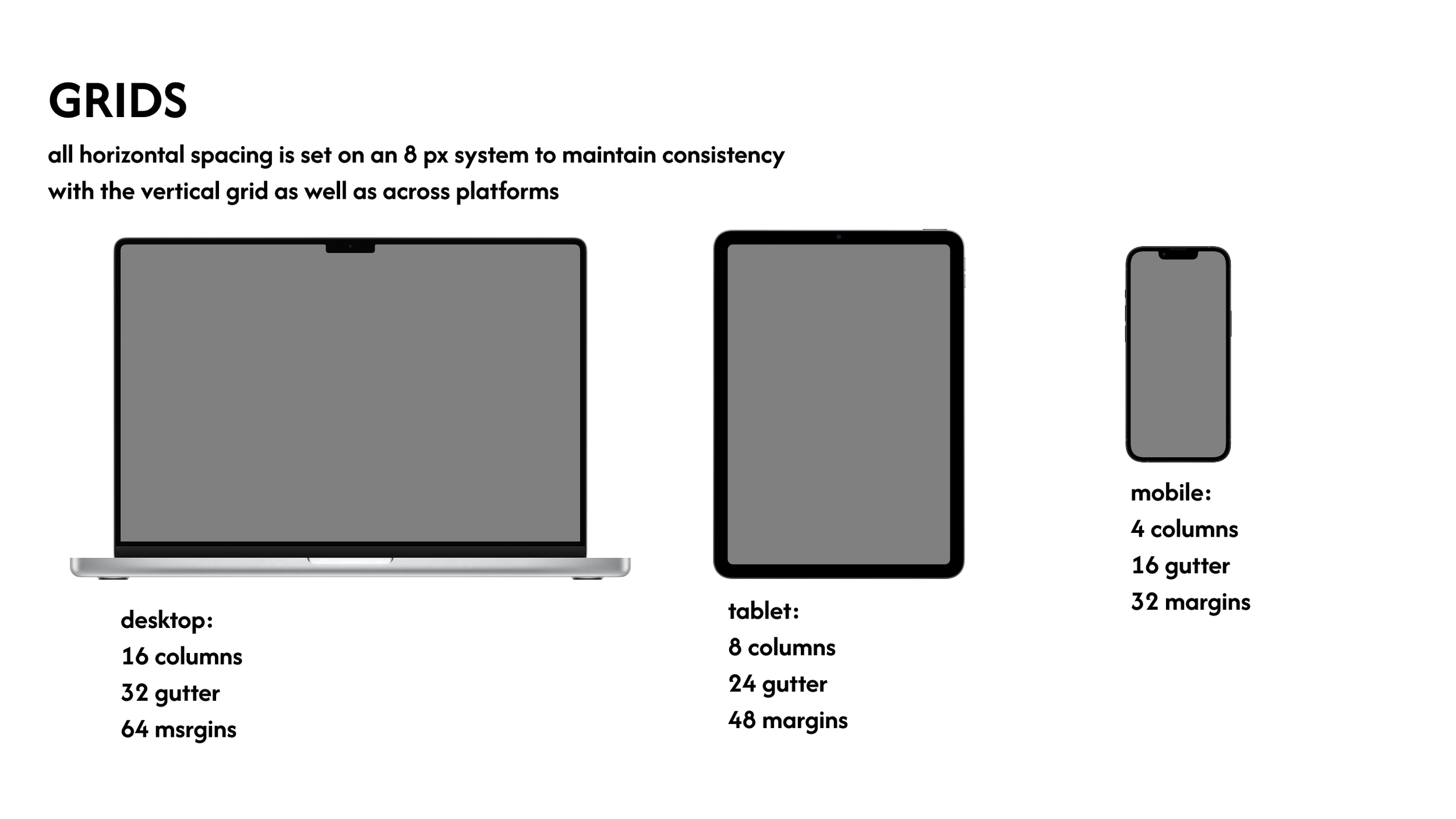
Diagram showing grid layout specifications for desktop, tablet, and mobile screens. The desktop grid has 16 columns, 32 gutter width, and 64 margin size. The tablet grid has 8 columns, 24 gutter width, and 48 margin size. The mobile grid has 4 columns, 16 gutter width, and 32 margins.